This manual will help you create declarations of hours worked in BASS for on-call workers.

This manual will help you create declarations of hours worked in BASS for on-call workers.
BASS can only be accessed directly from the campus network or through VPN. Enter your employee number (u-number) and your RU-password.
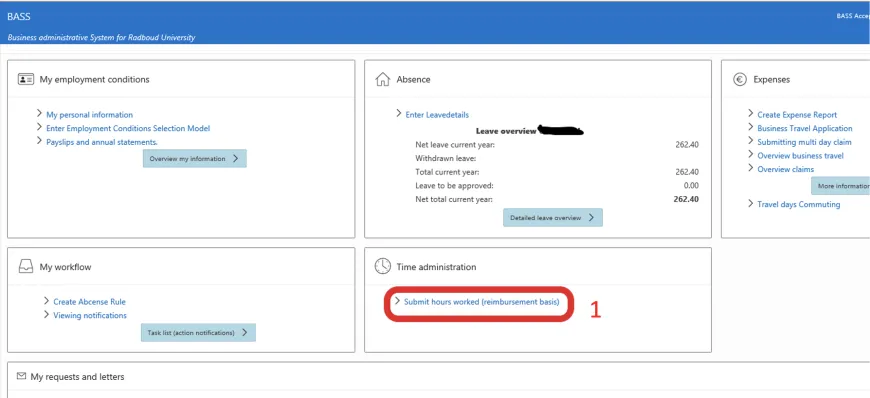
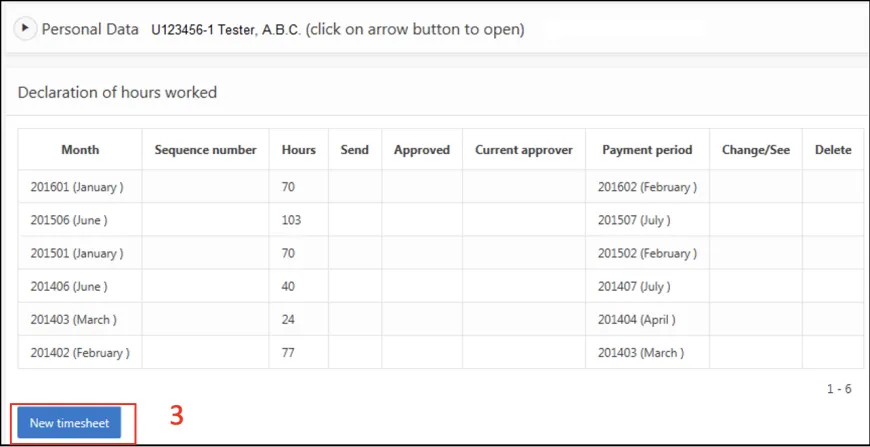
The tile menu opens in BASS. Under 'Time administration' click on 'Submit hours worked (reimbursement basis)'. If already declared these hours will be displayed at Declaration of hours worked.
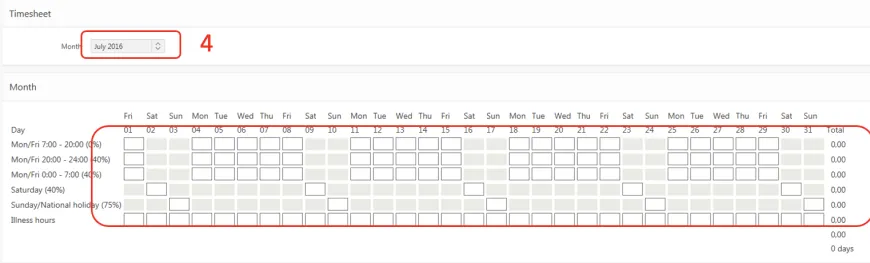
Click on new timesheet and then select the month of declaration.
Please note in which line the hours are noted due to working hours/surcharges.
In the 'Travel days' field, enter the number of days the type of 'Travel costs' was used. The maximum number of travel days that can be selected is equal to the number of days worked. Note: It is not possible to claim for multiple travel costs types in one month.
The Cost Allocation info is automatically filled and cannot be changed. For multiple lines of cost allocation, the number of hours for 1 or more cost allocations must be filled in the column "Allowance 0%" so that in the line "To be distributed" all fields are filled
with "0.00".
Enter any remarks in the remarks field.
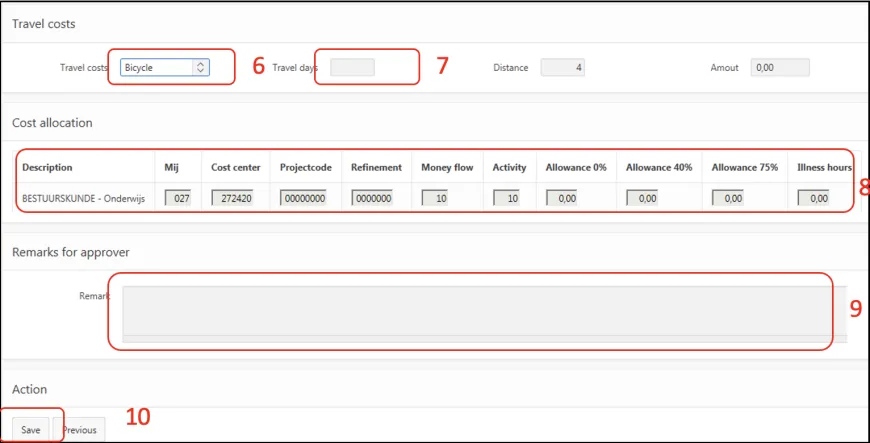
Click on save. Once the data is saved, the "Submit" button will appear. Click on submit to start the approval process of the declaration of hours worked.
In the overview under 'Change/See' you can view and change the entered hour declaration. The personal data become visible by clicking on the arrow.